























iMP Gaming Mini Arcade Pro Review
It's mini!
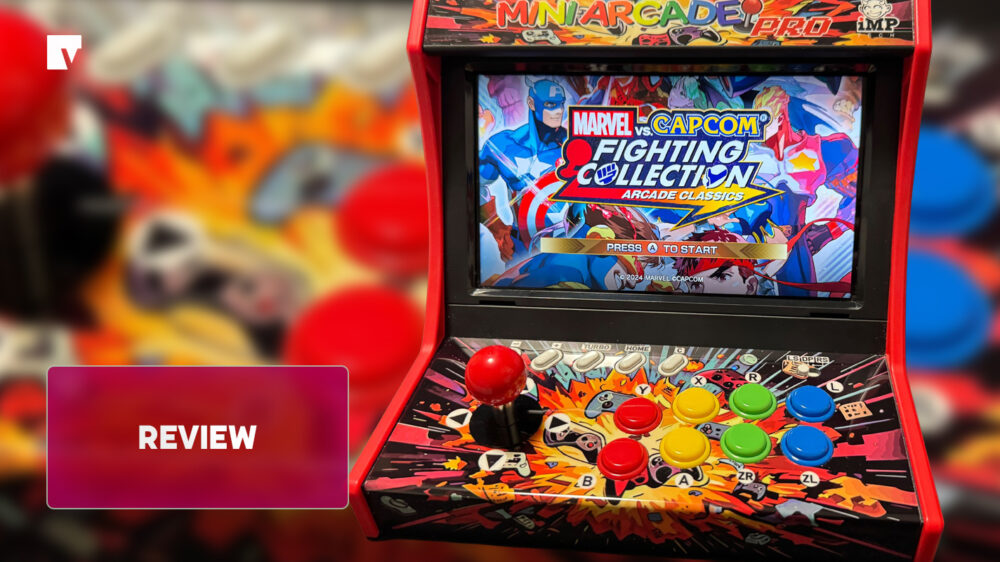
It can be hard to find a good portable-size arcade stick/cabinet setup. There are plenty of small novelty arcade units and more pricey Sega/Taito/Neo Geo cabinets, but purchasing an arcade controller takes away the portability factor. At PAX Aus 2025, I got the chance to try out the new Mini Arcade Pro – Retro Game Cabinet, but it was limited to one game. After being supplied a unit by Bluemouth Interactive, it’s time to have a better look.
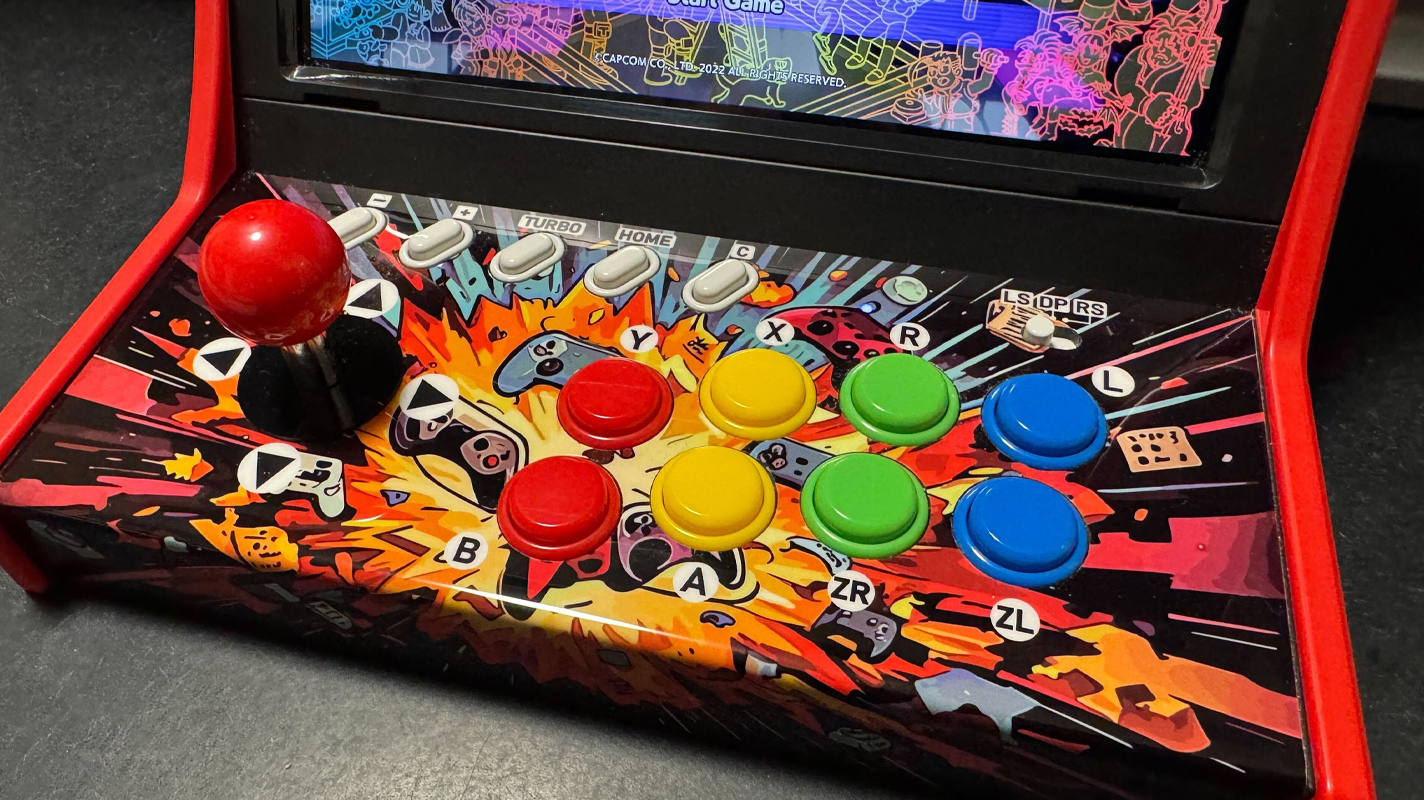
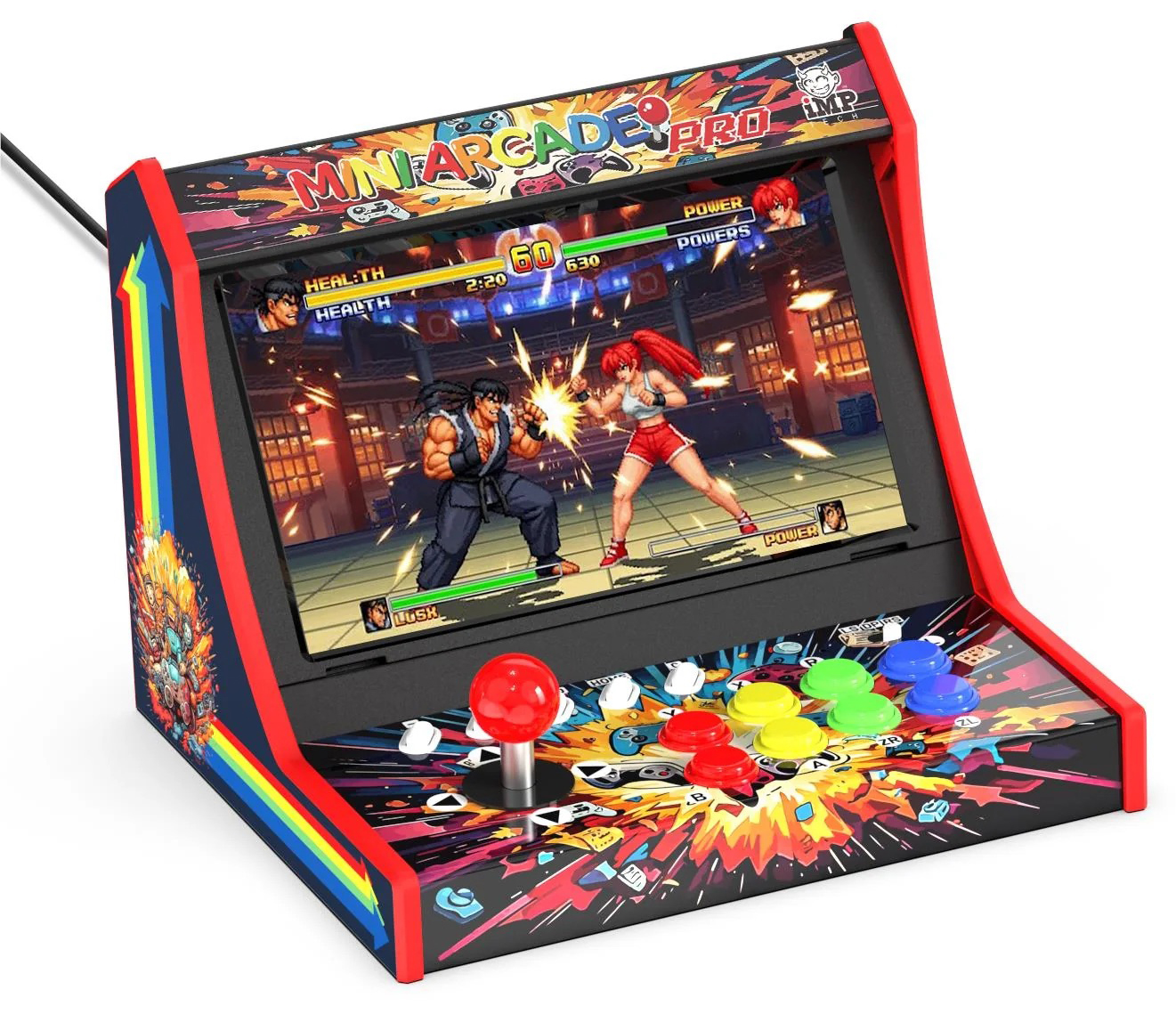
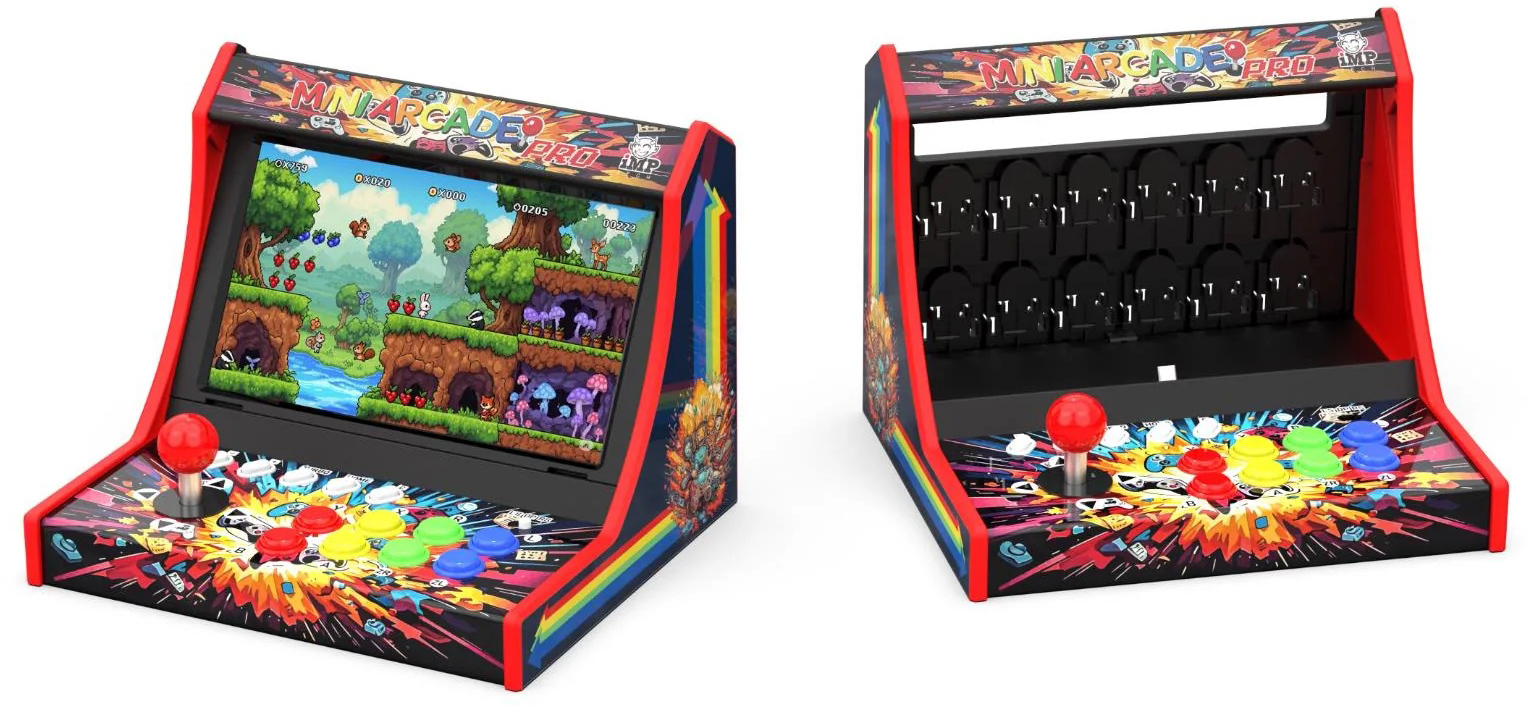
The Mini Arcade Pro is a portable arcade cabinet (a mini one even), with an arcade stick and buttons set up in a small arcade cabinet frame. The cabinet is the right size for the Nintendo Switch handheld screen to slot into the Mini Arcade, and completes this portable arcade cabinet setup.
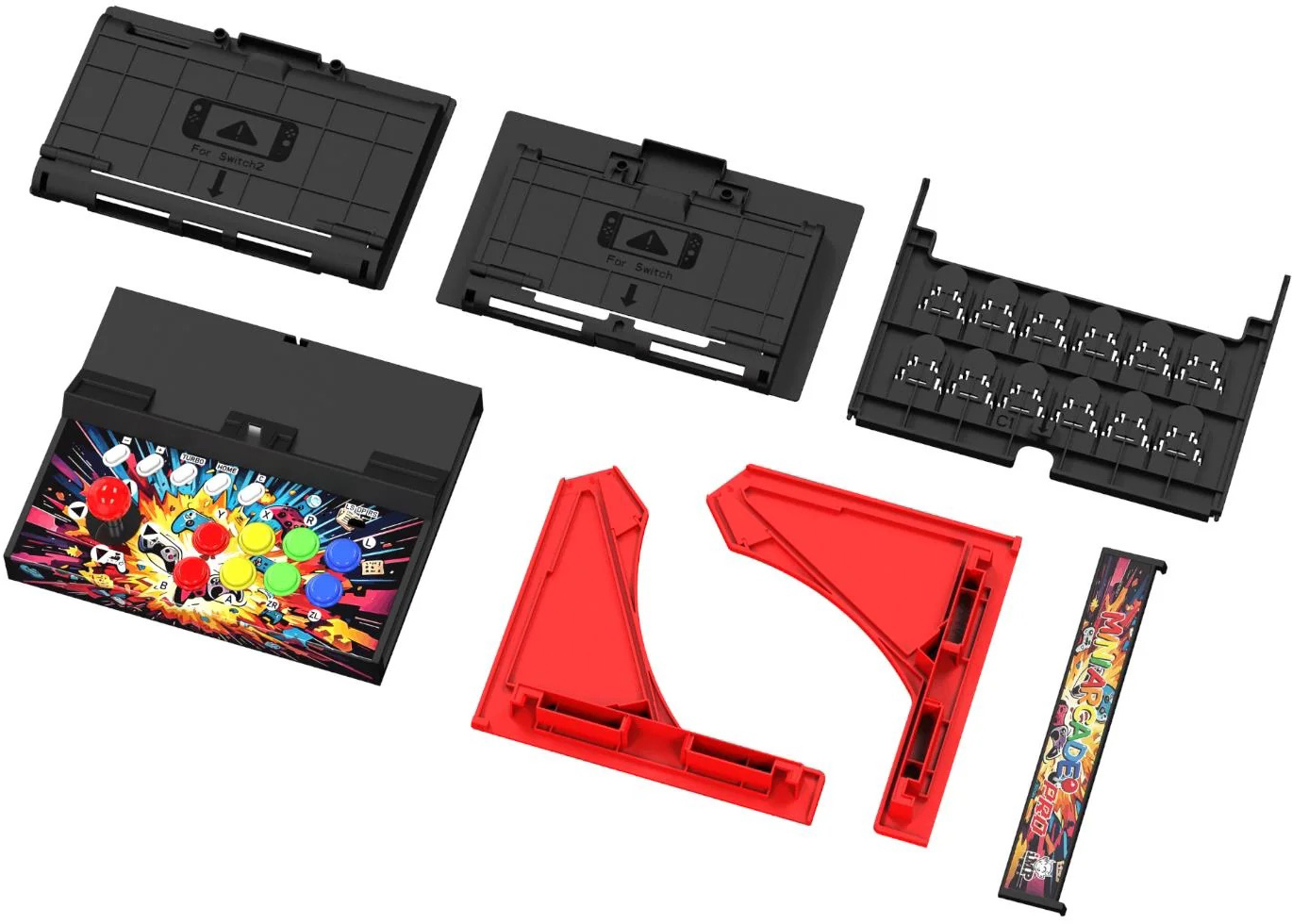
The Mini Arcade Pro is easy to assemble with only a few separate plastic parts that all easily fit together. No screws or glue are required, nothing other than just slotting in the pieces. Even without instructions, it isn’t too difficult to work out how it all goes together. Once the main unit is set up, then all that’s left is to slide the Switch handheld in.
There are shells for both the original Switch and the larger Switch 2. While the shell doesn’t really touch the handheld screen as such, it still invites gentle caution to ensure no scratches are being made. I’d feel more reassured with a slight buffer from plastic to the Switch, but ultimately it doesn’t seem to put the handheld at risk. Otherwise, slotting in the shell into the cabinet is straightforward; the shell is made to slot in easily. Just as easy, you can remove the shell from the cabinet with a handle.
The eight-way micro-switched joystick and eight buttons are all a little smaller than you would traditionally be used to, but then this is a Mini Arcade! Having played one of the mini Neo Geo units with even smaller but manageable arcade controls, the Mini Arcade is a more comfortable way to play. With the wider real estate of the Switch screen, it allows better spacing than the more novelty controls of smaller cabinets. The controls all feel how you’d expect, not too stiff, and loose enough to frantically deliver combos and special attacks across your arcade fighting games.
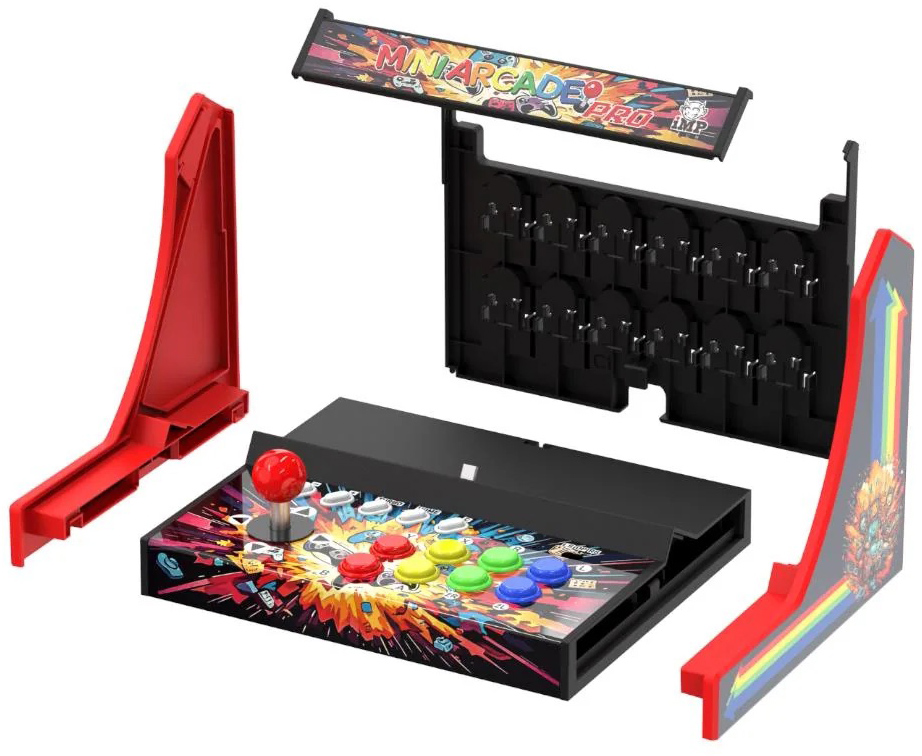
The console immediately picked up the cabinet as a pro controller option. There’s also a USB-C port underneath the unit to keep the Switch powered if you want. On the back, there’s a place to store up to 12 game cards, even your Micro SD cards if you feel daring. It’s always nice to have storage options, and while it doesn’t look like it, the storage slots keep the carts in well. I even shook the whole cabinet, and those carts stayed in place. I can’t say I’d use it as regular storage for my games, but it’s a nice additional feature.
There is a toggle for the joystick to either be used as the Left or Right stick, or to be used in place of the D-Pad. It allows some flexibility around what games can be played on the Mini Arcade, although dual stick games are unlikely to work unless you want to just see if you can.
One small issue I came across was for games that use pressing in the sticks or the L3 and R3 buttons. I discovered this with Capcom Arcade, as the Insert Coin option was tied to R3. I was fortunately able to remap this. It’s understandable not all games will be suitable for an arcade stick, but an arcade game collection would ideally be accessible. Now while at the somewhat budget price point ($99 AUD) it shouldn’t be a surprise, but if you’re looking to have a two-player arcade experience someone will need to use an extra controller.
Since the units became available, Nintendo has delivered a system patch which has affected a batch of the cabinets. Overall it doesn’t impact the general operation of the controls, although it means the C button and the ability to wake the system from the arcade buttons is impacted. For those units you can get the firmware from here.
You can still wake up the system from the handheld itself, the power button and volume buttons remain accessible. It’s hard to know if down the track if Nintendo’s updates might be more impactful, but it’s good to see that the IMP Gaming have been responsive so far.
Looking at the cabinet, it’s visually busy, especially the marquee and the panel with the controls. It’s not something that really matters towards the usability of the Mini Arcade; however, it seems there is one unfortunate design decision made. The art on the Mini Arcade appears to be AI-generated to some extent. Upon opening the box, looking at the control panel amidst some of the visual chaos. The images bear telltale signs of AI generation, which is disappointing. It doesn’t impact the use of the Mini Arcade, but it does sadly leave a bit of a sour taste. Especially when all the visual busyness on the cabinet, it would actually serve the cabinet better to have kept it simple.
The Mini Arcade Pro – Retro Game Cabinet works well as a cheaper and more portable solution to a full arcade controller set up. Easy to build and use, without taking much space and offering additional game cart storage. It would be unfair to expect all games to be workable with the more limited available controls; just be mindful it can impact arcade-based games too. The cabinet itself is a visual mess and seems to contain AI art, but overall doesn’t impact the usefulness of the cabinet.
The iMP Gaming Mini Arcade Pro retails for around $100 AUD, and is available at EB Games, JB Hi-Fi, Target and The Gamesmen
Thanks to Bluemouth Interactive for sending this over.
+ Easy to build, nice and compact
+ Is a solid budget arcade option
- Lack of R3 and L3 buttons can potentially impact some games.
- Visually messy design makes the cabinet look less slick