

hThe I’ve been a fan of 8BitDo gear for the longest time. They’ve gone from cheeky retro-inspired controllers to legitimate flagship replacements that go toe-to-toe with official gear – sometimes even exceeding them. They’re still retro-inspired too, especially with the 8BitDo Pro 3, which looks like a SNES controller that went to the gym and got swole.
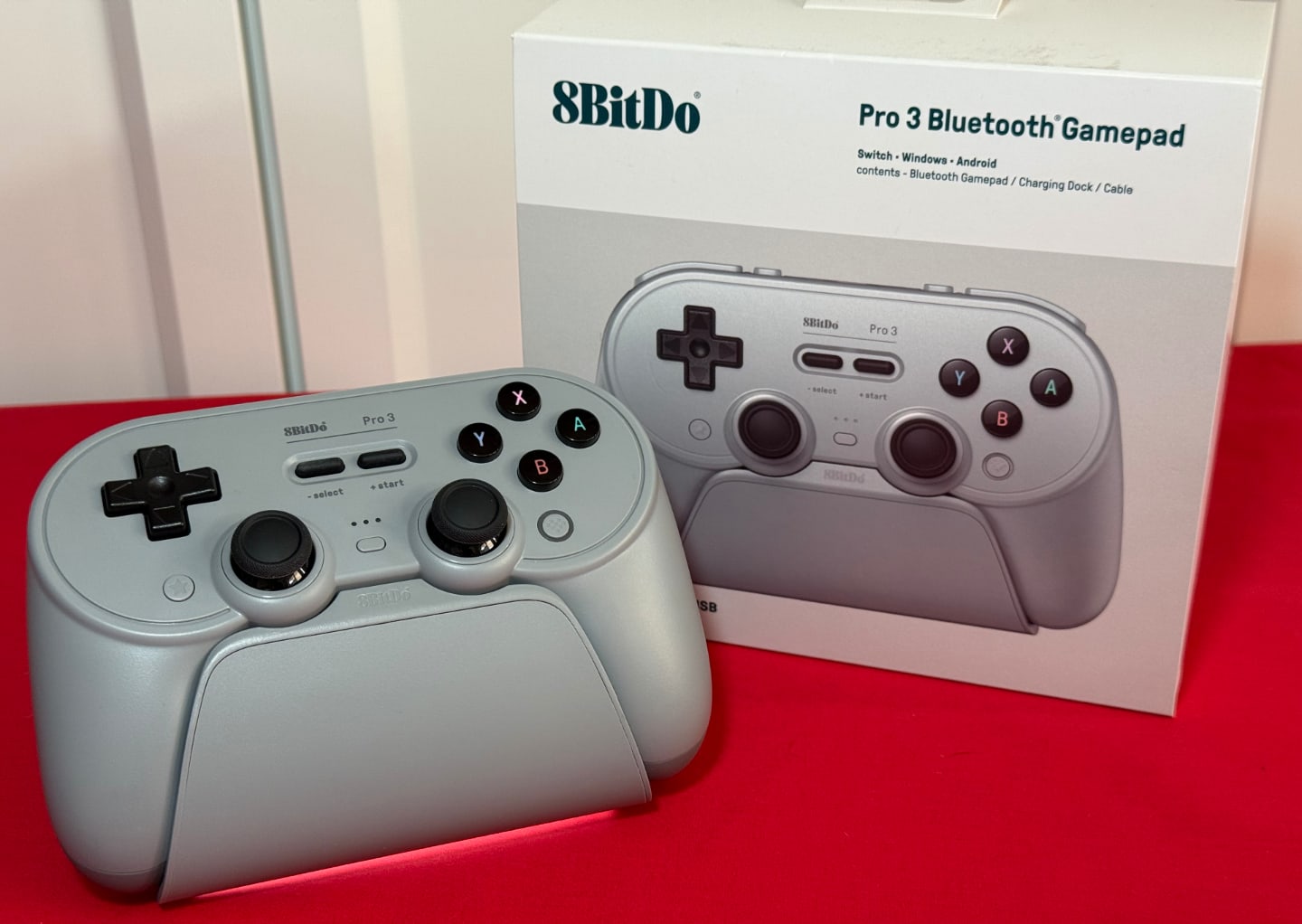
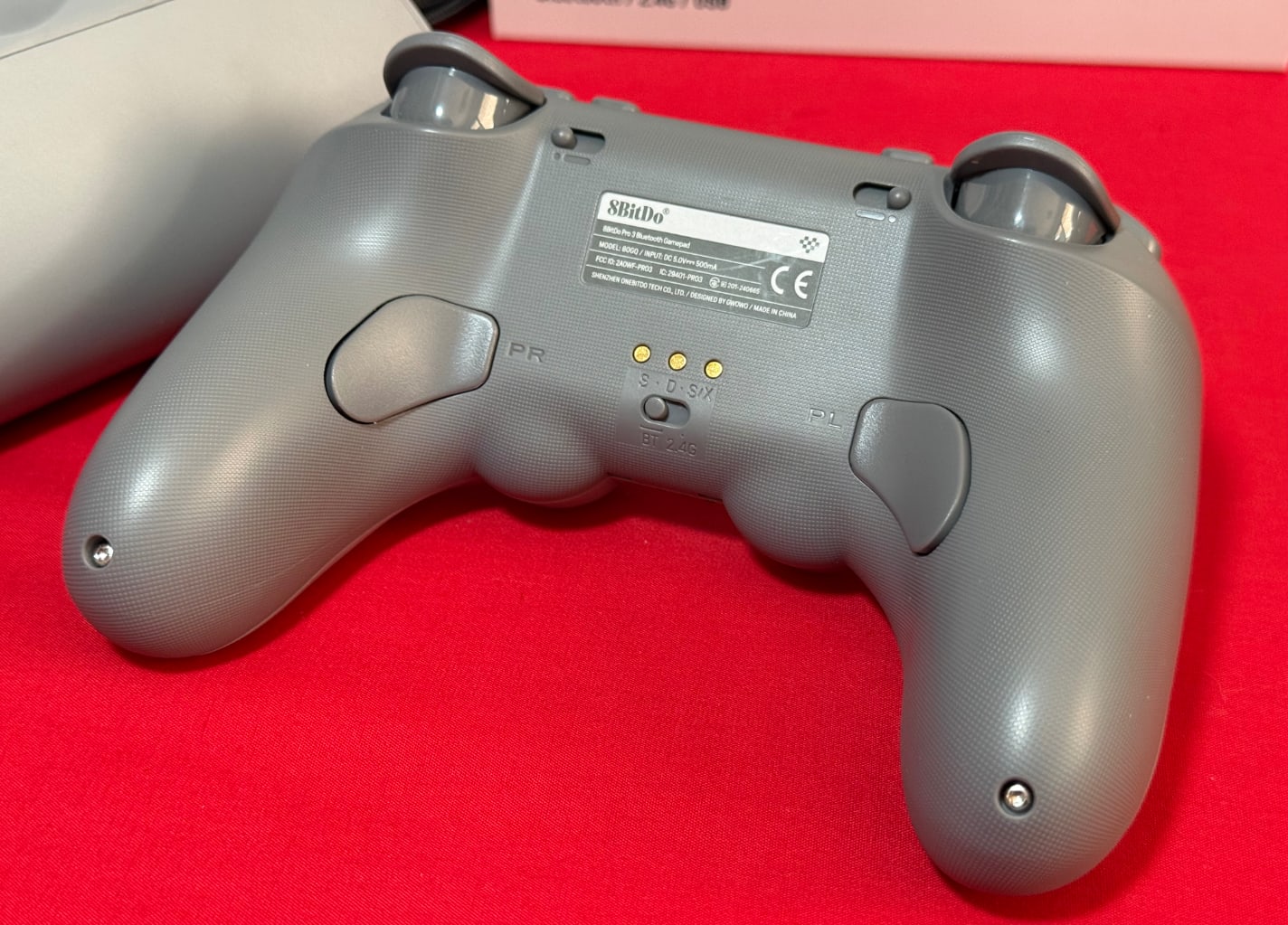
On paper, the controller is a tick-box list of every bit of controller tech you can think of, all at once. The sticks use TMR technology, which draws less power, responds faster, and relies on magnetic resistance to detect movement. Don’t worry, your old buddy Hall Effect is here too, with the triggers using that technology. You can also flick a switch to give the triggers a quick stop, using the small toggles on the back.
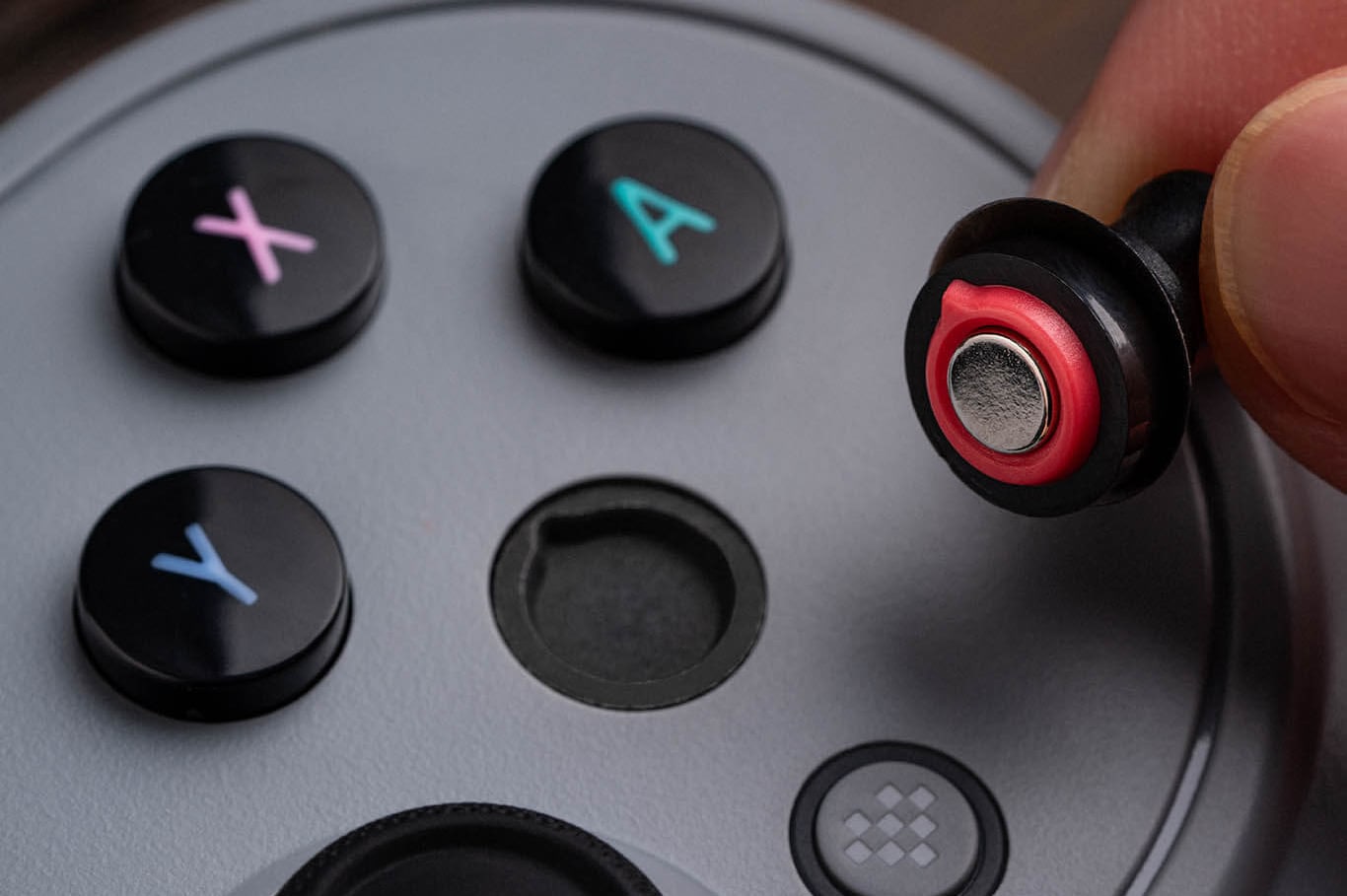
The face buttons have their own fancy party trick too. Included in the packaging is a tiny micro suction cup that lets you pop the buttons out, not only to swap in a different colour, but also to rearrange the ABXY layout to the “Xbox” style if you’re using it on a non-Nintendo system. I love the feel of the buttons; they’re a little loud, but the click is really satisfying.
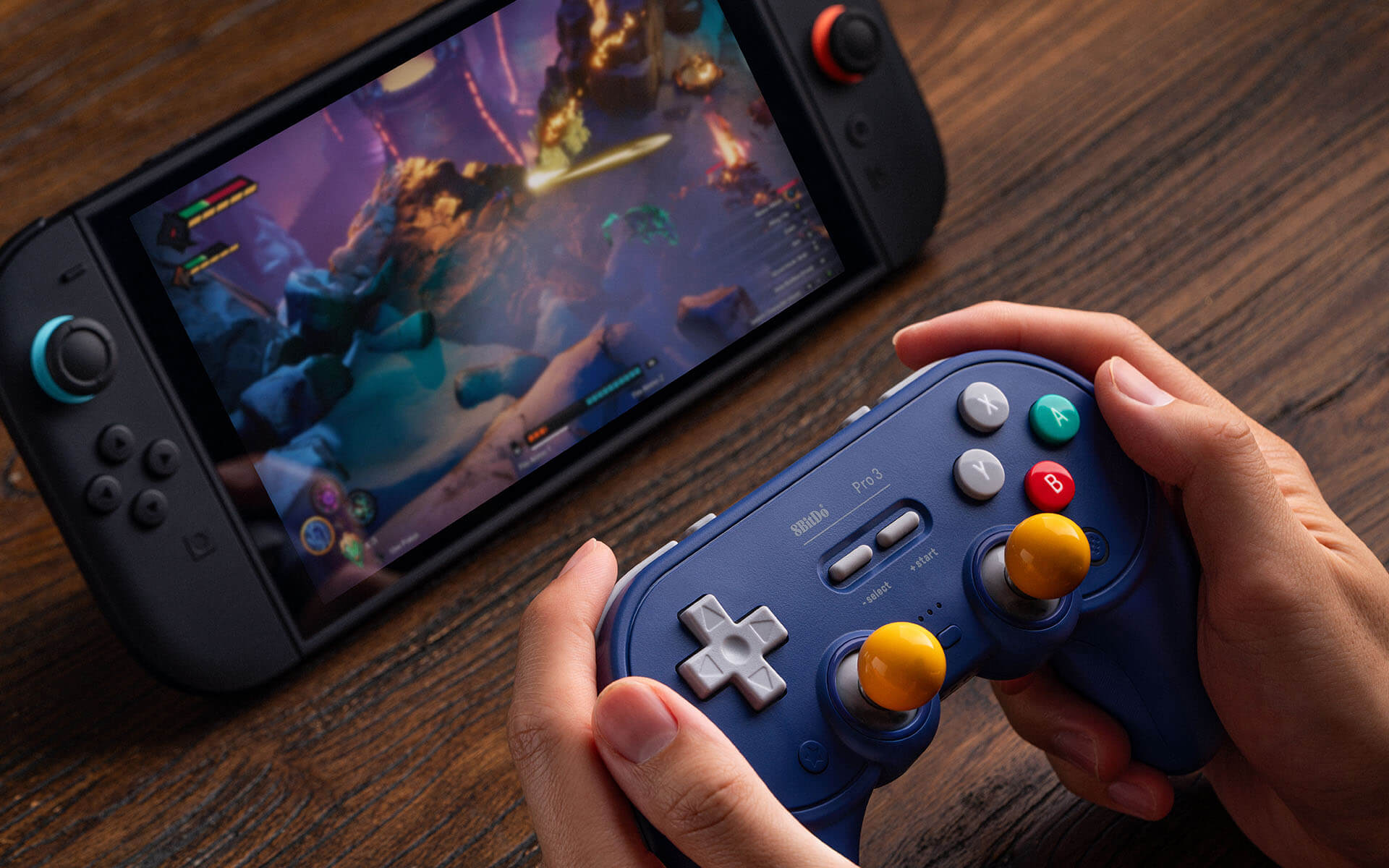
Connectivity-wise, you’re covered for almost everything. It works on the Switch and Switch 2. You can wake both the consoles with the controller with a little shake too, but only after doing a little trick to set it up. It works, but it feels a bit hacky. There’s a dongle in the dock for connecting to other non-Bluetooth devices too, make sure the switch on the back is in the right mode for the right use case.
Aside from specs, what’s it like to play? Well, it doesn’t look too different from the Pro 2; most of the changes are internal. So unless you like symmetrical sticks, this still might not be for you. Overall, I find the controller quite comfy, but it feels even better for D-Pad games—being based on the SNES controller, you can see why. The sticks are solid, though I do have to stretch my thumbs a bit more to reach them… or maybe I just have small hands. Speaking of the D-Pad, I think it’s great, but I’ve seen some people disappointed in how clicky it is. In my testing with trusty Tetris, it performs perfectly, and I love the clicky noise it makes. Feels way better than an old mushy one, though I get it—some people might not like that.
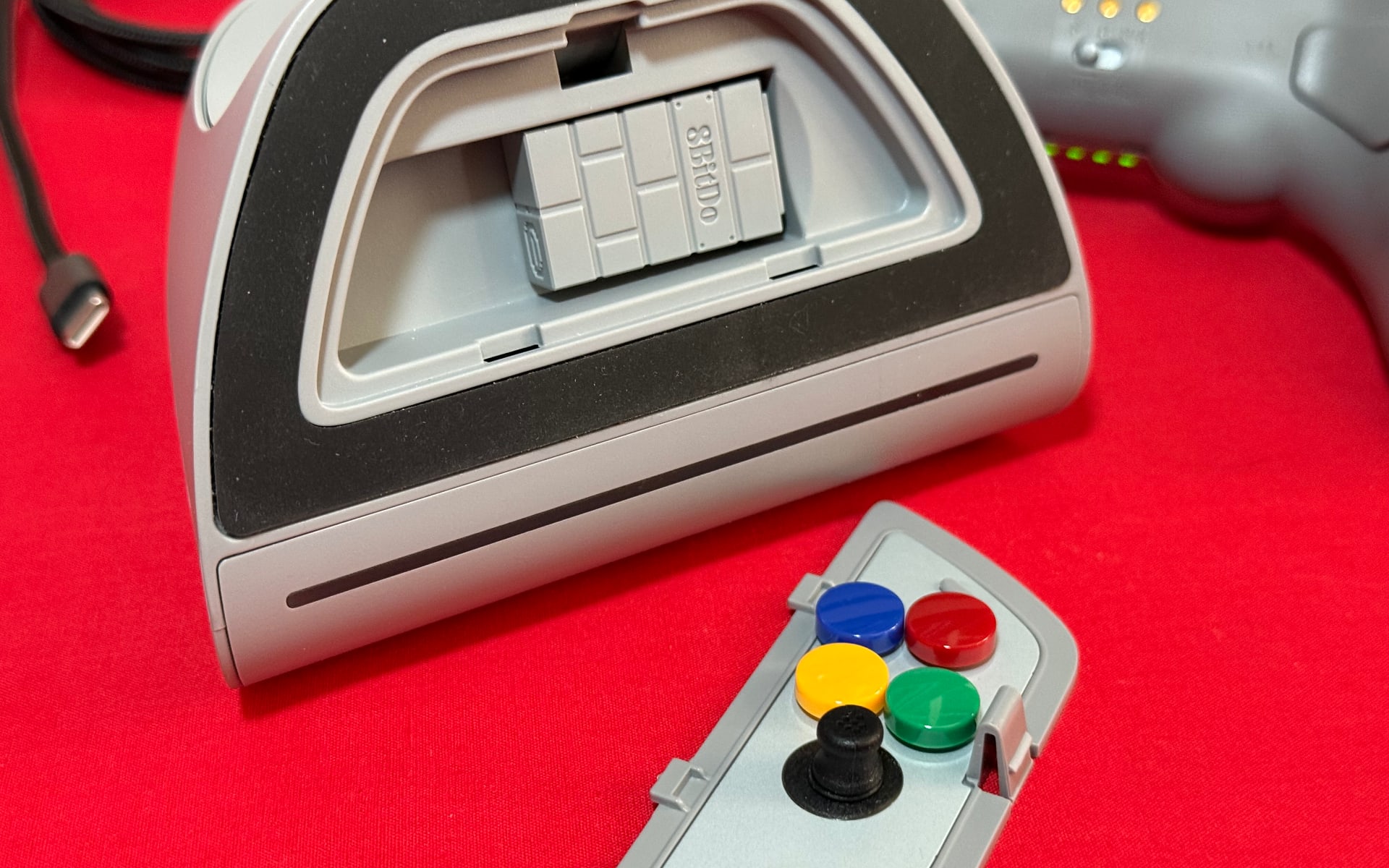
There are also two more things in the box to talk about: the dock and some balls. First, the dock not only charges your controller but also stores all the little tools you need to swap the face buttons—as well as the dongle. It’s not a lightweight either; this thing has some proper heft. I’ve always hated how the Switch Pro Controller, and now the Pro Controller 2, never were dockable without some third-party dongle hanging over the top. For the price of these controllers, having all the features and a proper dock? Very nice.

The balls, then. So if you want to, you can swap out the analogue stick tips and put little balls on them instead, like the arcade sticks of years gone by. Look, are you going to use these for something modern? No, but they feel nice to play something retro with. There’s just nowhere to put your balls when you’re done with them aside from the original packaging—I realise how that all sounds, and I’m going with it.
I reviewed a controller the other day, and someone replied to me on social media with a sick emoji: “Ew, third-party controllers.” And like, we’re not in that world anymore. Nintendo’s controllers have their own problems, and they are expensive. The 8BitDo Pro 3 is about the same price as Nintendo’s controller, but you get something so versatile, packed with tech, a dock, and some balls. You have to love the symmetrical layout, but this is a genuine daily controller, and not just for the Switch or Switch 2.
The 8BitDo Pro 3 Controller is out now and available locally in three colours: the grey one featured in this review, the classic G one, and the GameCube purple one. The controller retails for $99.95 AUD and is available at Amazon, EB Games, JB Hi-Fi, The Gamesmen and more.
This post contains affiliate links. If you make a purchase through these links, we may earn a commission at no additional cost to you.


I’m still holding out for any kind of third party joycon2 controllers, like the Split Pad for the Switch 1, since I play pretty much exclusively in handheld mode. Anyone know where I can tell these controller companies that that’s what I would purchase? Ha ha