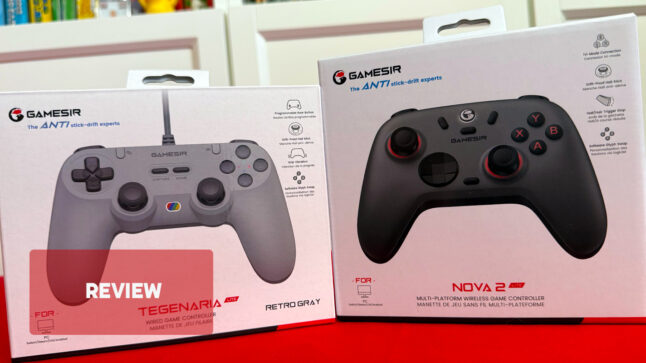

When I was asked to check out these GameSir controllers for review, I had to look them up, as I hadn’t heard of the brand before. After doing some research, I found they actually have a loyal following, with a range of budget controllers that many fans swear by. Looking at the spec sheets, they tick a lot of boxes: Hall effect sticks and triggers, low input lag, rumble, mappable buttons, and broad compatibility with multiple systems built in. So, can these controllers deliver on all that for the price? Sort of—mostly—but it depends on what you’re playing them on.
GameSir Tegenaria Lite Wired Symmetric
Available for around $40 from local retailers including JB Hi-Fi, Amazon and The Gamesmen. Although Amazon currently has it for $33.
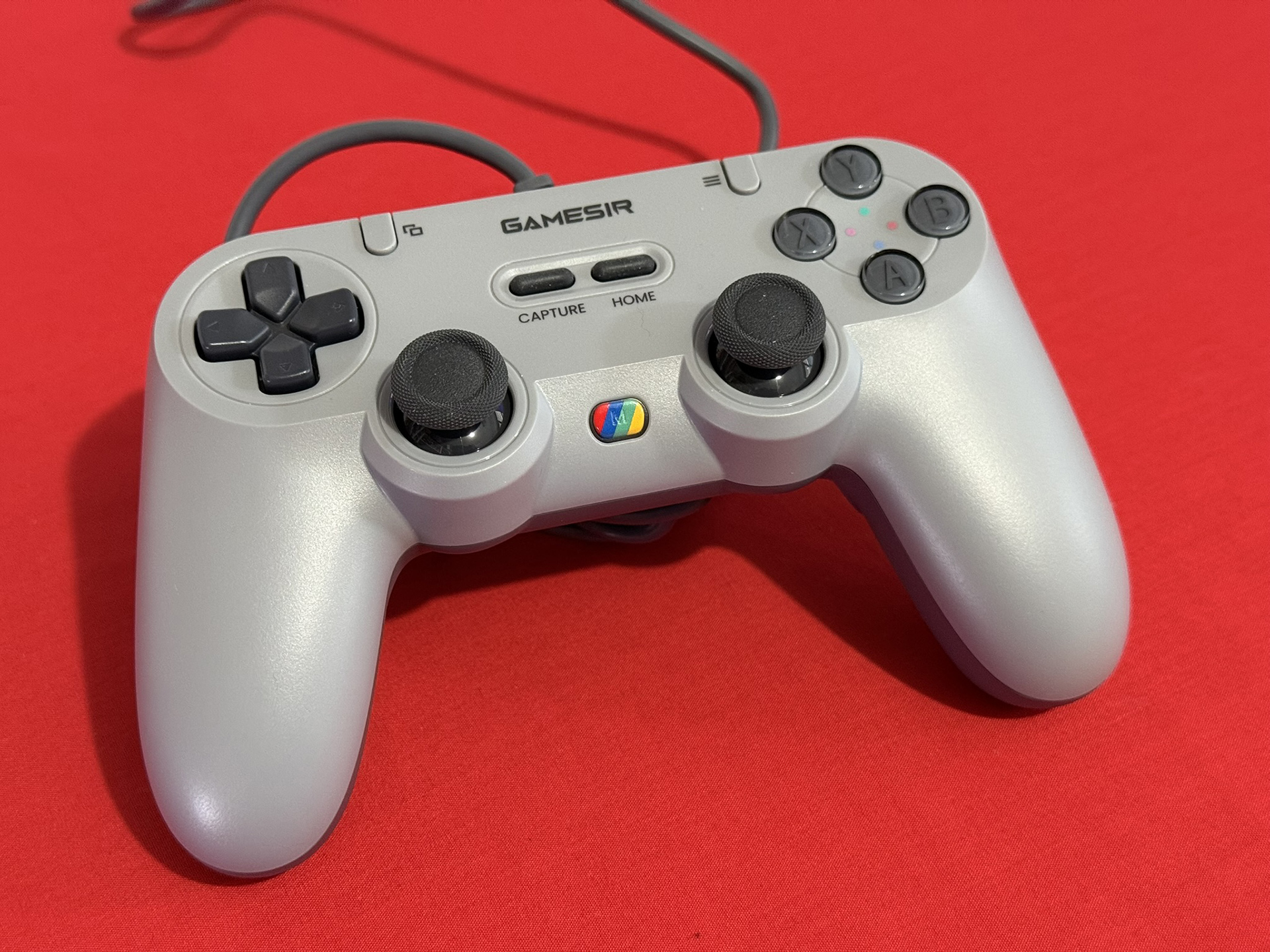
The first thing you’ll notice about the Tegenaria controller is that it looks like a strange mash-up of multiple PlayStation controllers. There are hints of both the PlayStation 1 and PS3 in its design, and it even features a PlayStation logo–style rainbow button on the front. That mode button handles many of the controller’s built-in functions. Around the back, you’ll find a long cord—which, unfortunately, can’t be detached.
It’s a solid-feeling controller, with everything easy to reach and all the buttons you need, no matter what platform you plug it into. It doesn’t have the sleek feel of a Nintendo Switch 2 Pro Controller, but at $30 AUD, it definitely punches above its weight in terms of build quality.

The quality feel carries over to the Hall effect sticks, which glide smoothly and quietly. The face buttons also provide a satisfying tactile click, aside from the Capture and Home buttons, which are a bit squish, more like Game Boy Select buttons—but you’re not exactly hitting those in tense moments. The shoulder buttons are solid, with the L1 and R1 feeling fine, but the triggers could use more travel. They’re closer to a Pro Controller’s triggers, but while those feel right, these look and feel like they should go further—perhaps because the design resembles a DualSense.
The only real problem I had with this controller is that I couldn’t get it to work on a Nintendo Switch initially. There’s an option in the Switch and Switch 2 settings to use a Pro Controller over USB, that must be on to get it to properly work.
GameSir Nova 2 Lite
Available from local retailers for around $60, including Amazon, JB Hi-Fi and The Gamesmen. Amazon currently has it on sale for $47.20.
Flagship controllers are expensive, and with the Switch 2 you don’t really need a Pro Controller 2 if your regular Switch Pro Controller is still going strong. Plus, there are plenty of third-party options on the market. The Nova 2 Lite comes in at roughly half the price of a flagship controller, offering most of the same features—plus a few extras you won’t find on the premium models.

Compared to the Tegenaria, this controller feels much more premium—not just because it’s wireless and has a bit more bulk, but also thanks to the paint job, which gives it a sleek, refined feel in hand. In the box, you get the controller and a plastic case. It’s nothing fancy, but it helps prevent the controller from waking up in your bag. Inside the case, there’s also a dongle for connecting the controller to consoles, including both the Switch and Switch 2. Aside from some finicky button presses and mode selections, I was able to get the controller connected to the Switch 2 without too much trouble after reading the manual and some help from reading forums online. Alright, maybe it wasn’t that easy.
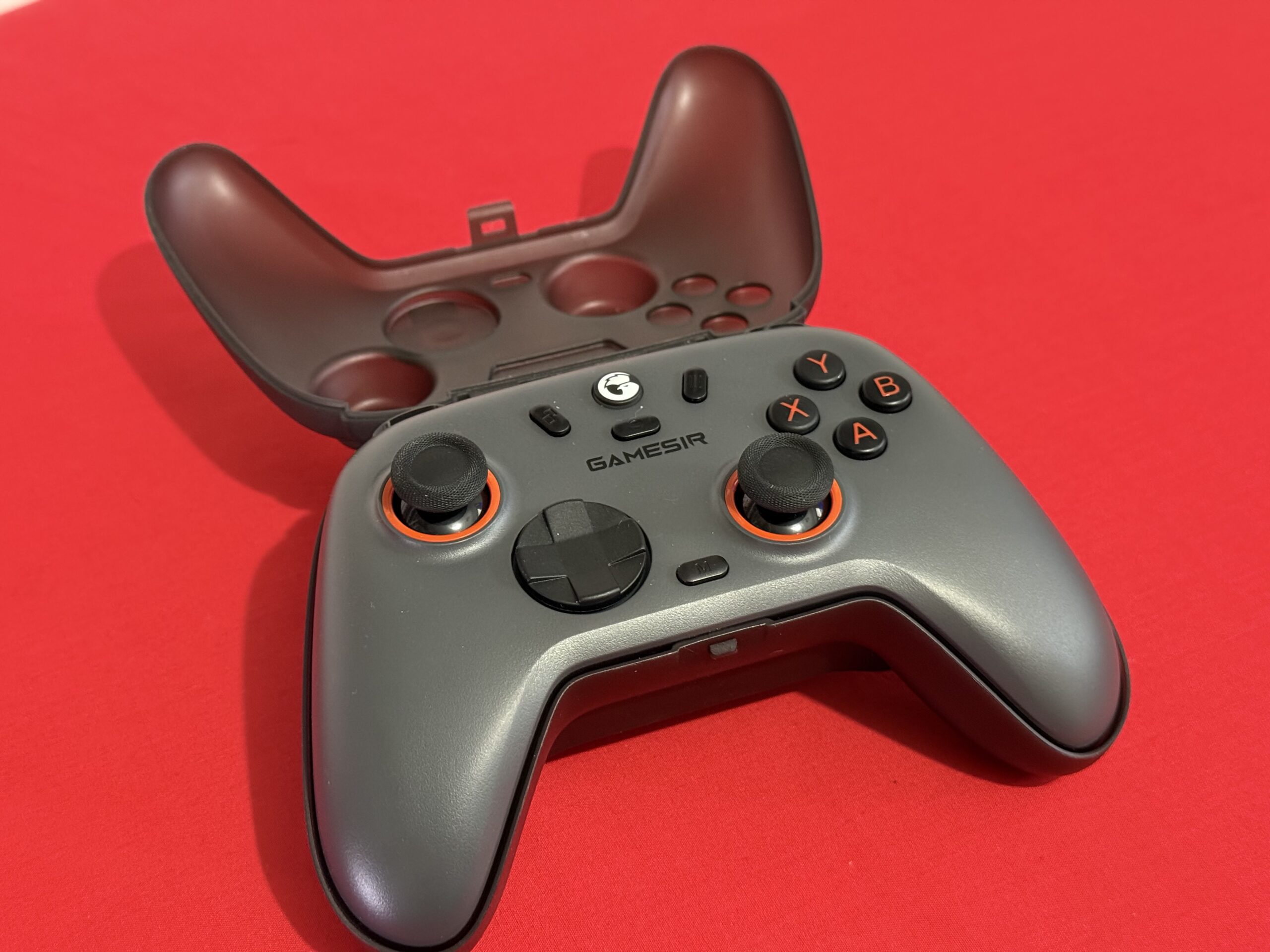
Unlike the other controller, this one connects to the GameSir app, where you can tweak and customise all the settings—and perform firmware updates. That last part was necessary to get the controller working on the Switch 2, which is fair enough since it’s a brand-new system. The Nova 2 can connect not only to Switch consoles, but also to PlayStation, iOS, Android, and PC.
Everything else about the controller feels great. The Hall effect sticks are excellent, and the triggers also use Hall effect sensors. These can be locked off with a switch on the back to reduce travel, if that’s your preference. The D-pad has a light, responsive feel, and the dish-style design works well. I tested it with a round of Tetris—a solid benchmark for any D-pad—and it let me drop, stack, and rotate pieces effortlessly. It’s almost therapeutic how smooth and precise it feels. Most of the other buttons share that same satisfying, tactile click. The only slight downside is the ABXY buttons, which are a bit less clicky, though still perfectly fine for most players.
Rumble is included in this controller as well. It’s not super subtle and actually reminds me a lot of the Nintendo 64 rumble pack. Actually when playing in the Nintendo 64 Classics app, it would sometimes rumble non-stop—something that will need fixing. There are no gyro controls, so games like Super Mario Galaxy aren’t playable, and naturally, there’s no NFC support either.

The main issue with these controllers is that they use the ABXY layout that matches Xbox, rather than the Nintendo configuration. There are ways around this, such as remapping buttons on the controller or in the Switch, but it still makes it harder to be proficient on Nintendo systems, as you constantly have to remember the different button assignments, and on-screen prompts won’t match. For anyone not using a Nintendo system, this isn’t a problem, but since we’re reviewing these for a Nintendo site, it’s worth mentioning.
Both of these controllers are budget options, and with cheap products, you generally expect to miss out on something or have certain features not work as well as they would at a higher price. That said, for what you pay, these controllers perform very well, feel solid, and should definitely be on your shortlist if you’re looking for a controller that works across multiple devices. If you’re primarily a Switch gamer, though, the “wrong” button layout, and some missing features on the Nova 2 mean neither is likely to be a complete solution.
Thanks to Five Star Games for providing these controllers for review.



Comments